Write polished recruiter emails in seconds
AI drafts your follow-ups, thank-you notes, and offer responses, matched to your tone and situation, so you move fast and sound sharp.
What is an AI email assistant for job seekers?
Four-Leaf is an email assistant built specifically for job search correspondence.
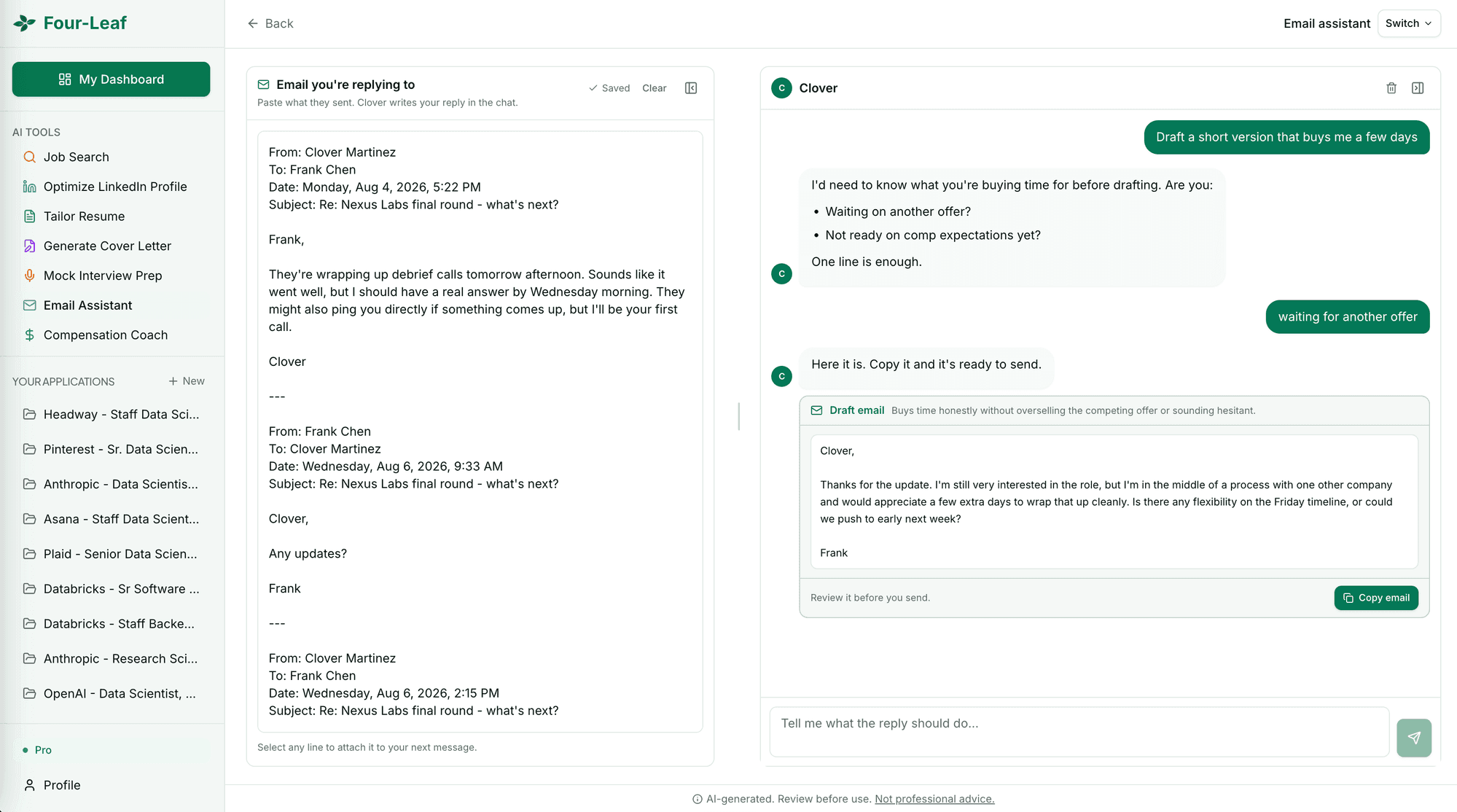
The tool drafts recruiter outreach, interview follow-ups, thank-you notes, networking requests, offer responses, and other common job search communications in seconds. The workspace has two panes.
On the left, users paste the email thread they are replying to, including anything they already sent. On the right, a chat asks what the reply needs to accomplish, requests any detail it still needs, and returns a finished draft with a one-click copy button.
Starting from an empty thread works too, for cold outreach. Four-Leaf matches the formality of the thread it was given, keeps a requested register such as shorter or warmer for every later draft in the conversation, and follows the professional email conventions hiring managers expect.
Users can attach a specific line from the thread to a message, ask for revisions in the chat, and create unlimited emails throughout their job search. The email assistant is one of seven tools in Four-Leaf's AI job search assistant, alongside AI mock interviews, resume tailoring, cover letter generation, salary negotiation coaching, job search, and LinkedIn optimization.
Four-Leaf is available as a $5 / 5-day pass for one upcoming interview or $20/month Pro for an ongoing search, both with a 3-day free trial and no credit card required.
Get started in three easy steps.
Paste the thread
Drop in the email you're replying to, including anything you already sent. Starting from scratch works too.
Say what the reply should do
Buy a few days, push back on a timeline, accept the offer. Clover asks for whatever it still needs before drafting.
Copy it and send
The draft lands in the chat with a copy button. Ask for a shorter version or a warmer one and it rewrites in place.
Built for candidates who want every edge.
Every email type covered
Follow-ups, thank-you notes, scheduling, offer responses, withdrawal notices, reference requests, and more.
Matched to your tone
The AI adapts its writing style to sound like you, not like a robot. Professional but personal.
Context-aware
Each email references the specific role, company, and conversation history for a personal touch.
Speed
Stop agonizing over wording. Get a polished draft in seconds and move on to what matters.
Common questions.
What types of job search emails can Four-Leaf help with?
Thank-you emails after interviews, follow-up emails when you haven't heard back, scheduling requests, salary discussion emails, offer acceptance or decline messages, networking outreach, and more.
Can it write follow-up emails after an interview?
Yes. Provide details about the interview, what was discussed, and any points you want to reinforce. The AI generates a thoughtful follow-up that references specific conversation topics.
How does it match my writing tone?
Four-Leaf matches the register of the thread you pasted, so a formal recruiter note and a casual follow-up with someone you already know come back sounding different. Ask for a warmer or blunter version in the chat and it rewrites the draft.
Is it only for job search emails?
Four-Leaf's email assistant is optimized for job search communication: recruiter outreach, interview follow-ups, offer negotiation emails, and professional networking. For general email writing, a general-purpose AI tool may be more appropriate.
Every plan includes these too.
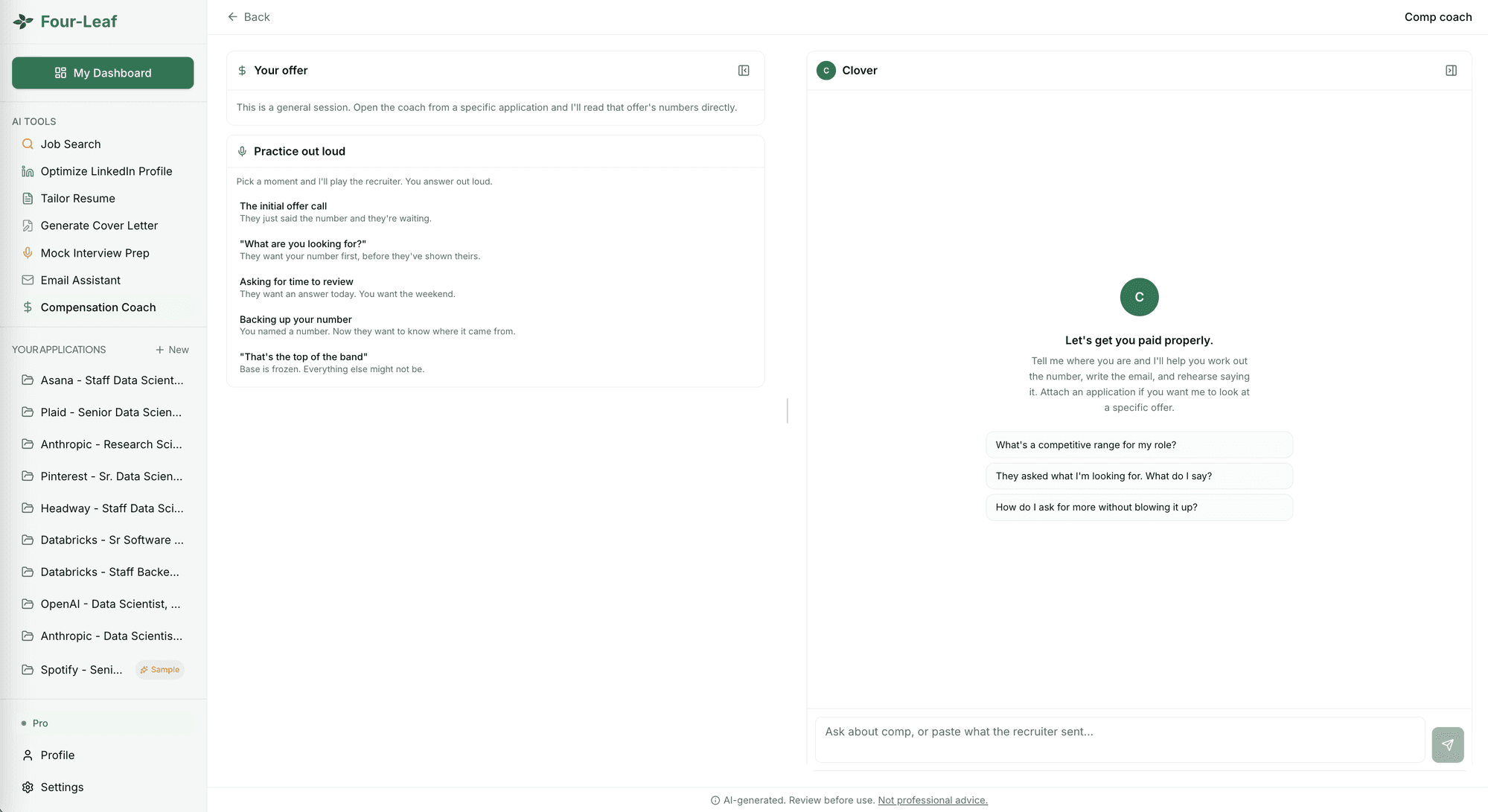 Comp coachNegotiate the offer with a calm, scripted plan.
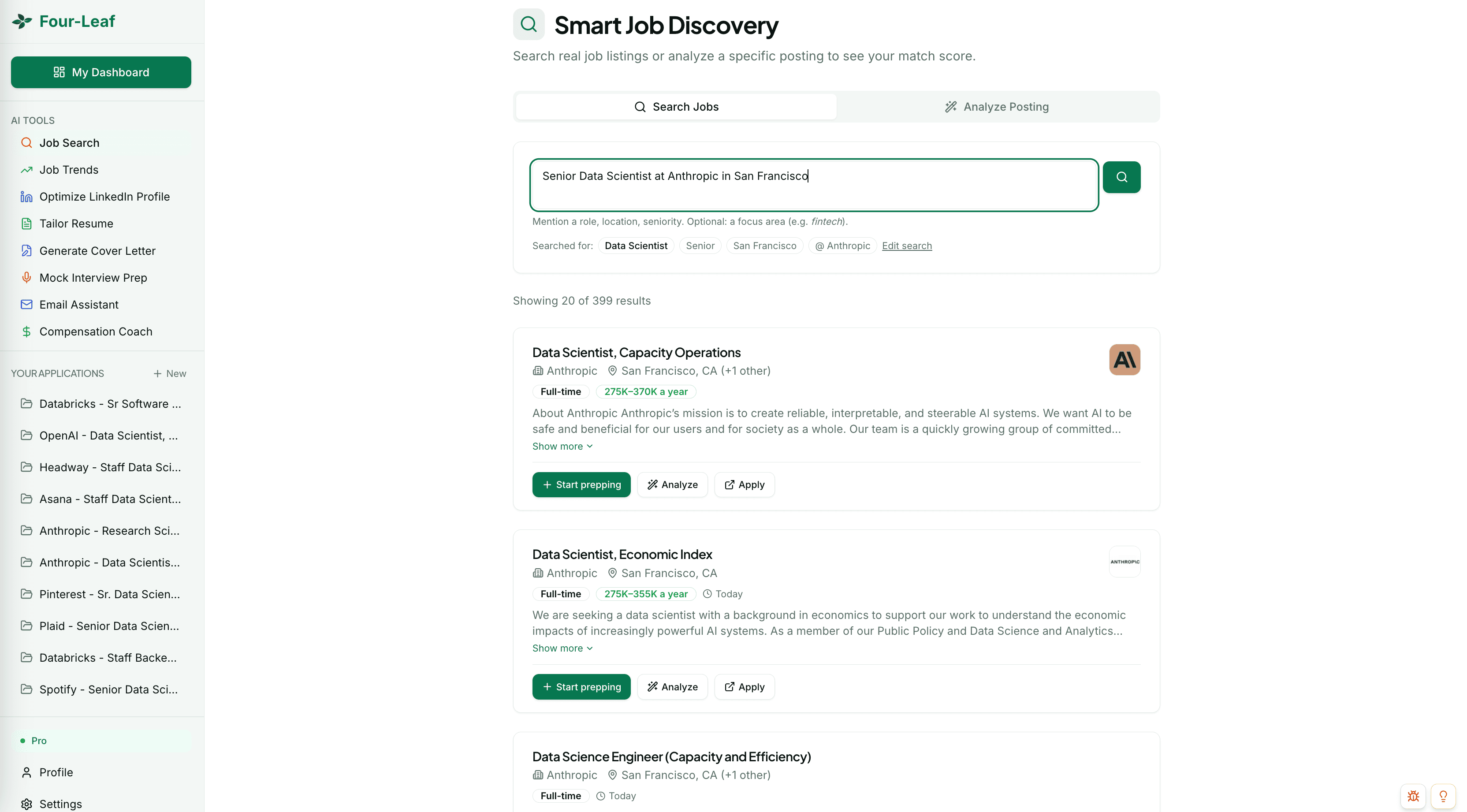 AI job searchFind the roles that actually fit.
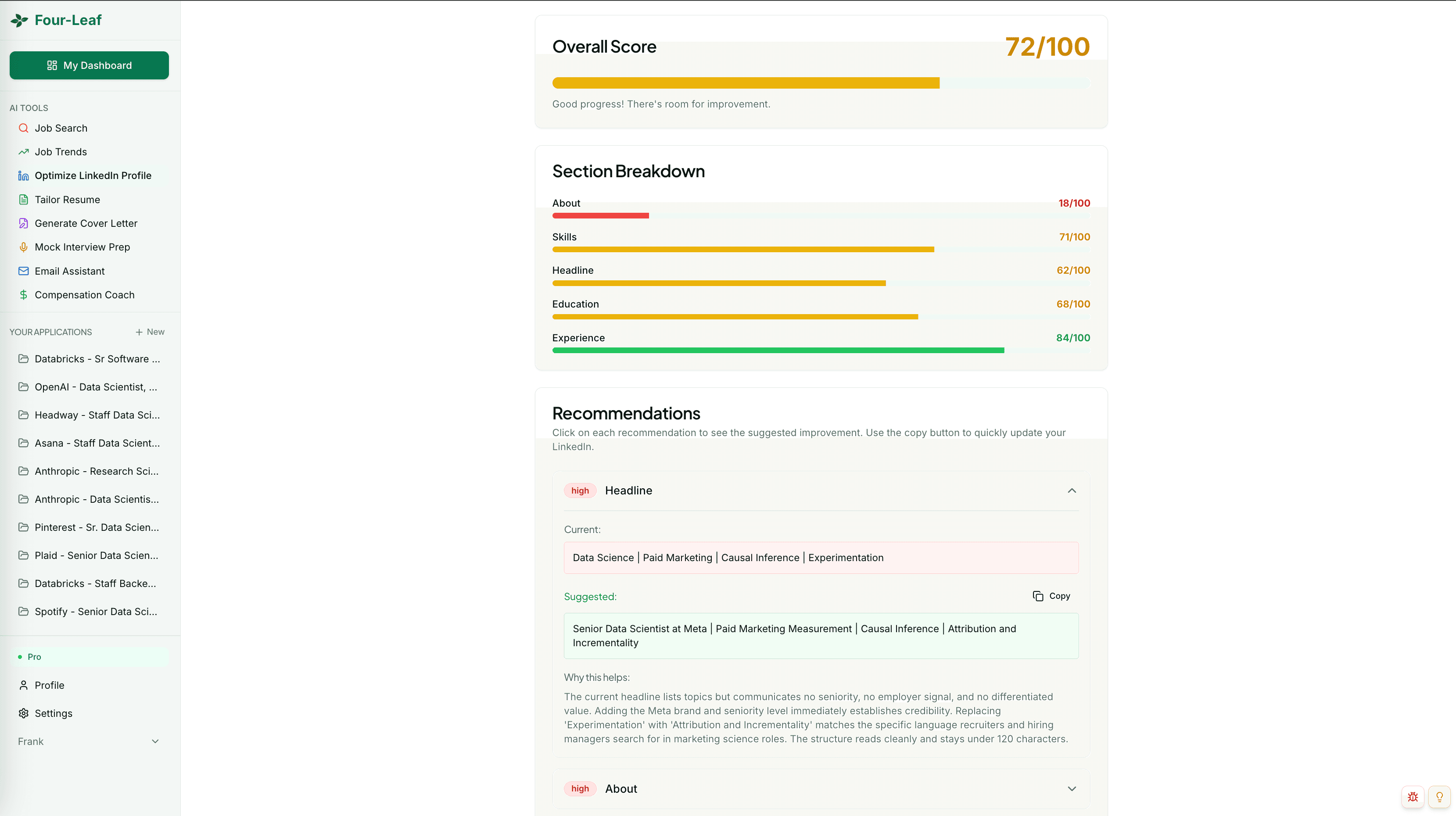 LinkedIn optimizerBuild a profile recruiters can find.
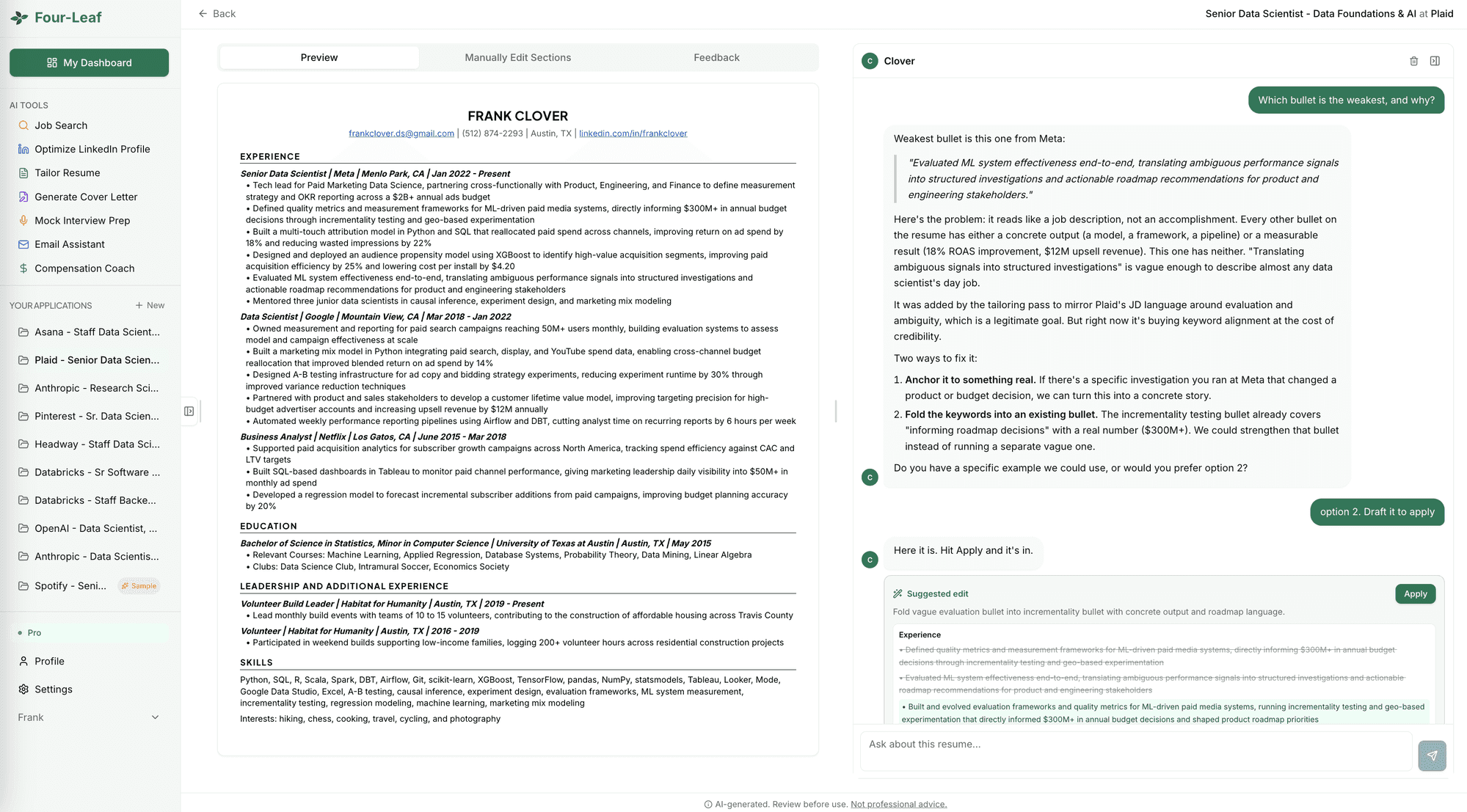 Resume tailorTailor the resume, then refine it in chat.
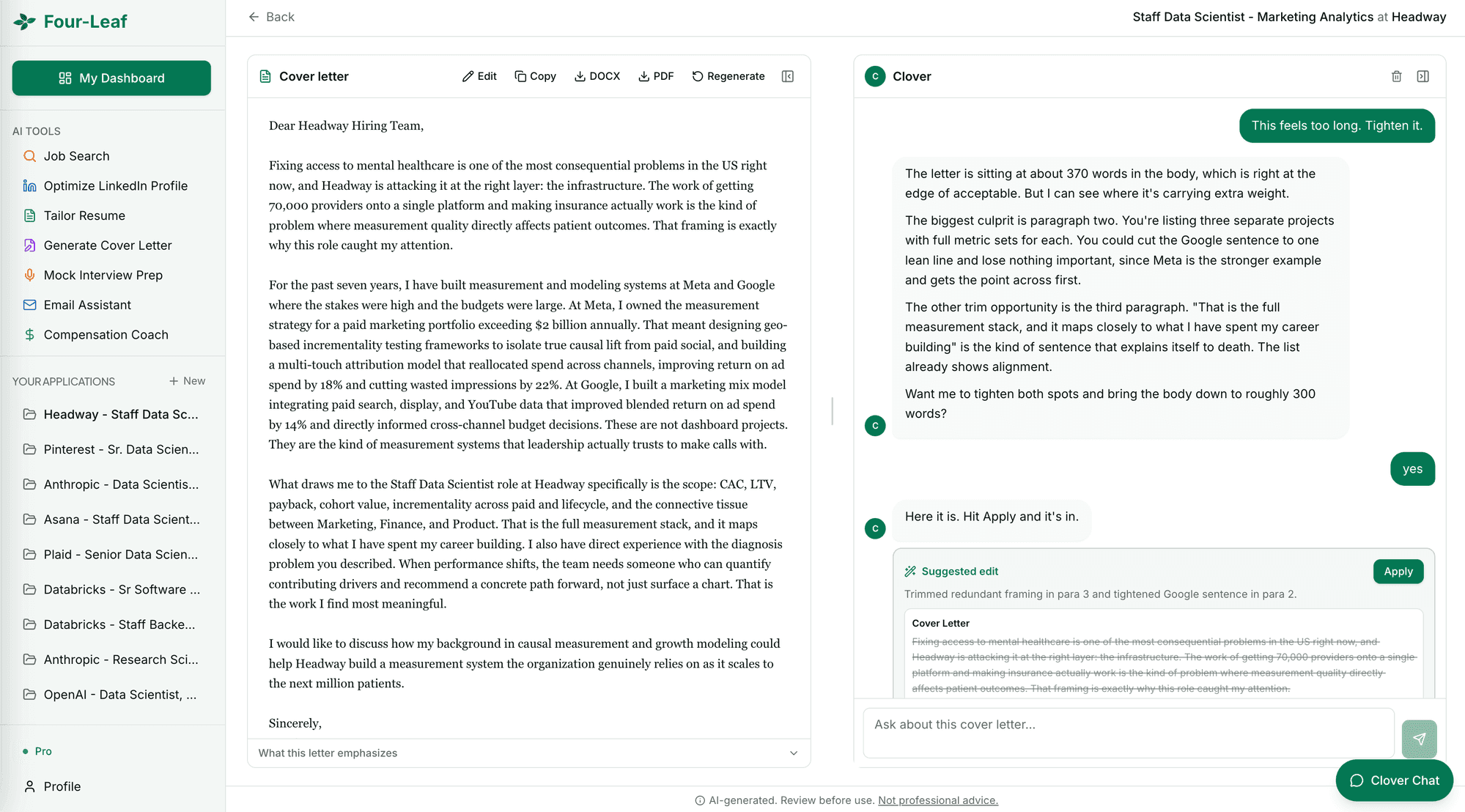 Cover letterWrite a cover letter that sounds like you.
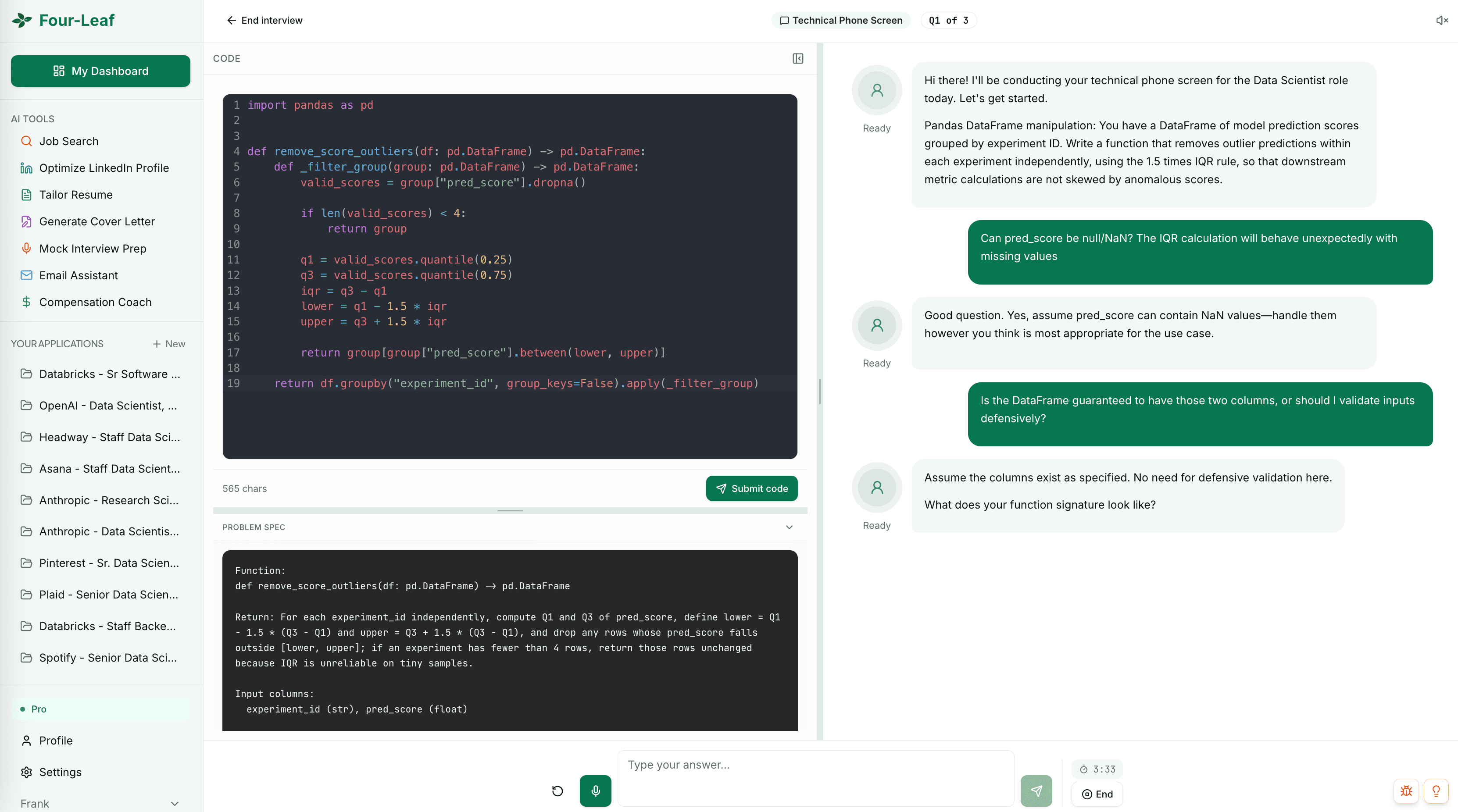 Mock interviewPractice out loud and get scored.

Start your 3-day free trial.
Every tool included. $5 for 5 days or $20 a month. No credit card required.